
Learning how to put a link in an Instagram post caption is one of the most common challenges creators and businesses face when trying to drive traffic from social media.
Unlike other platforms, Instagram does not make URLs clickable when typed directly into a standard post caption.
To bypass this limitation and connect your followers to your website, store, or blog, you must use strategic workarounds like bio updates, story links, and comment redirects.
Mastering these techniques is the ultimate secret to boosting your click-through rates and maximizing conversions.
In 2026, user intent is focused heavily on seamless navigation, meaning your audience wants immediate access to information without friction.
By utilizing modern link-sharing strategies, you can turn a static photo description into an active marketing funnel.
Explore this comprehensive guide to uncover every proven method for successfully sharing links on Instagram.
Direct Link Workarounds That Drive Traffic Fast
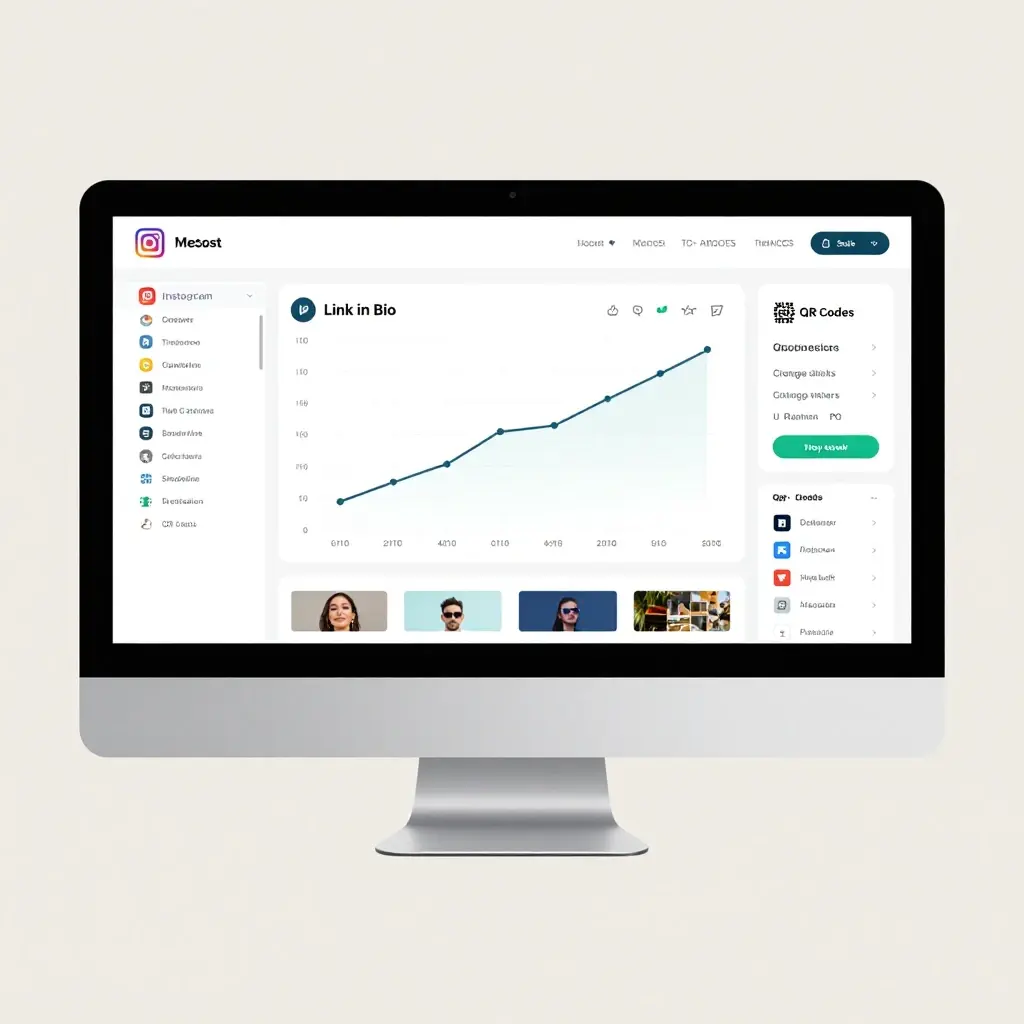
- 🔗 Update the main link in your profile bio before publishing your feed post.
- 📲 Use the phrase “Link in bio” as a clear call to action in your description.
- 🧭 Direct users to your bio link using directional arrows and pointing emojis.
- 🛍️ Tag products directly in your images using an approved Instagram Shop catalog.
- 💬 Drop the unclickable URL into your post comments for desktop users to copy.
- 📸 Share your feed post directly to your Instagram Stories and attach a link sticker.
- 📍 Use a customized, easy-to-remember short URL that users can manually type out.
- 🤖 Set up an automated DM tool to message the link when users comment a keyword.
- 💡 Create a dedicated story highlight folder named “Links” for permanent post access.
- 👑 Convert your standard account to a professional creator or business profile immediately.
- 🗺️ Guide your audience step-by-step on where to click to find your landing page.
- 📝 Keep your manual URLs short by using clean domains like bit.ly or tinyurl.
- 🎨 Use a visual landing page builder like Linktree to host multiple URLs simultaneously.
- 🔔 Remind users in your caption to turn on post notifications for upcoming links.
- 🏁 Put the link call to action at the very top of your post text line.
- 🎟️ Offer exclusive discounts that can only be unlocked via your profile link.
- 🪟 Cross-promote your Instagram post link inside your TikTok bio or YouTube descriptions.
- 📌 Pin a comment containing clear instructions on how to access your external site.
- 🚀 Launch a broadcast channel and drop active clickable links directly to your subscribers.
- 🧩 Match your bio link image thumbnail with your current feed post image style.
- 💌 Encourage followers to send you a direct message to receive an instant link reply.
Setting Up a Linktree to Host Multiple URLs
- 🌳 Sign up for a free Linktree account to manage your external destinations easily.
- 🎨 Choose a clean, minimalist theme that matches your current Instagram brand identity.
- 🏷️ Label each link button with a clear, high-converting action phrase like “Shop Now.”
- 🖼️ Add custom icons or images next to each button to guide the user’s eye.
- 🔝 Place your most important or temporary links at the absolute top of the page.
- 🔄 Update your dashboard regularly to remove old, broken, or expired promotional paths.
- 📊 Track your click-through data inside the built-in analytics tab to see performance.
- 🧼 Keep your link titles short so they do not wrap awkwardly on mobile screens.
- 🧭 Use animation features on your top button to draw immediate visual attention.
- 🔒 Enable sensitive content warnings if you are linking to age-restricted external pages.
- 🔗 Copy your unique profile URL directly from your dashboard into your Instagram bio.
- 🔲 Integrate your email signup form directly onto your landing page layout.
- 🌐 Connect a custom domain name to make your landing page look highly professional.
- 📱 Preview the mobile layout before saving to ensure a great user experience.
- 💸 Add payment buttons to sell digital products directly from your link page.
- 🧪 Run a simple test click from your own phone to verify everything works perfectly.
- 🎭 Match your profile picture across both platforms for immediate brand recognition.
- 📅 Schedule specific links to appear and disappear based on your campaign dates.
- 🧩 Group similar links into collapsible folders if you have more than ten items.
- 📈 Monitor your traffic source data to confirm visitors are coming from Instagram.
- 🛠️ Keep a backup link option ready in case of temporary platform outages.
How to Edit Your Instagram Bio Link Safely
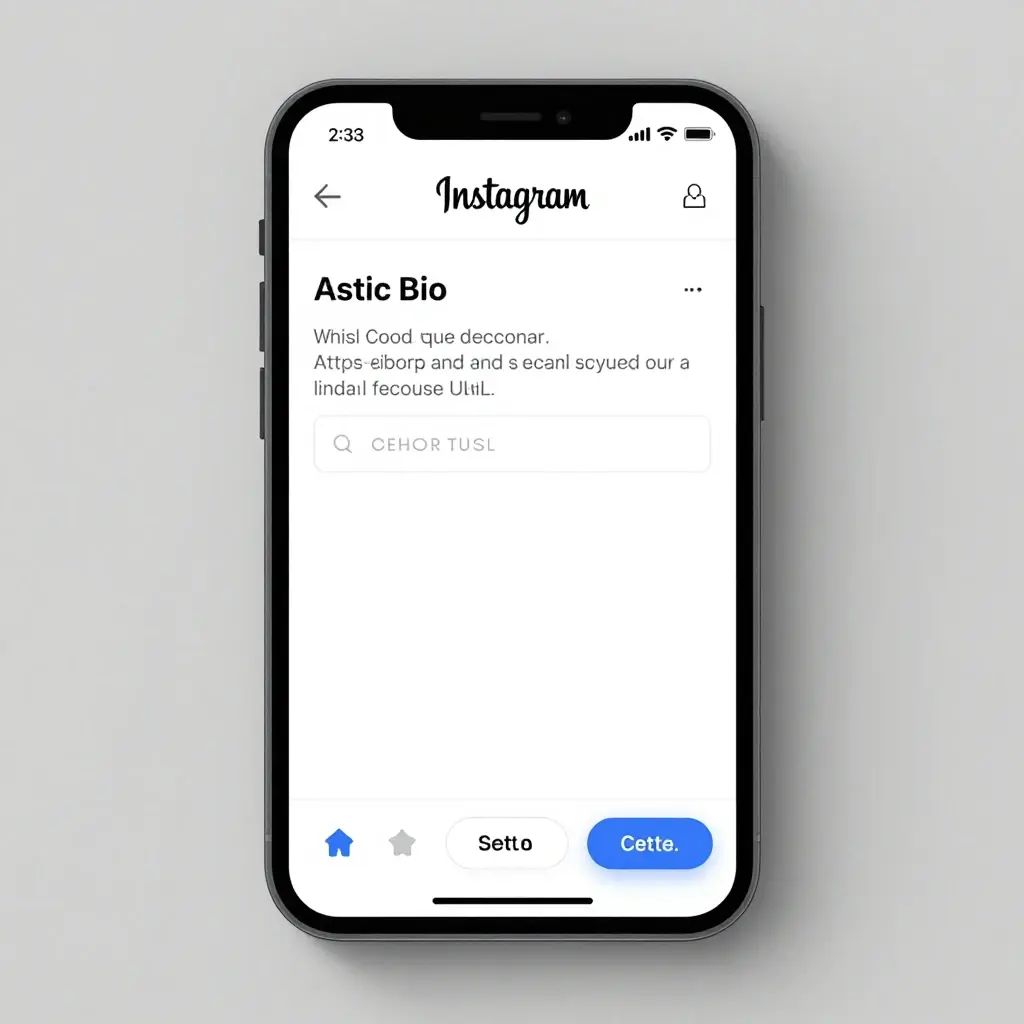
- 📱 Open your Instagram mobile application and tap your profile icon in the corner.
- ⚙️ Click on the “Edit Profile” button located directly beneath your main bio text.
- 🌐 Tap on the “Links” section to view your current external web addresses.
- ➕ Select the “Add External Link” option to input a new destination URL.
- 🧼 Paste your copied website link into the designated URL field completely clean.
- ✏️ Write a descriptive, short title for the link so users know what it is.
- ✅ Click the blue checkmark or tap “Done” in the top corner to save changes.
- 🛑 Avoid changing your bio link more than ten times an hour to prevent spam flags.
- 🧼 Make sure your URL starts with secure https protocols to avoid browser warnings.
- 🪞 Check your public profile view to ensure the link displays correctly to outsiders.
- 📝 Add a line of text in your actual bio that points directly down to the link.
- 🧼 Keep your URL free of long, messy tracking codes that look untrustworthy.
- 🔀 Use the Facebook link integration option if you are connecting a business page.
- 🛡️ Verify your domain inside Instagram Business Manager for added account security.
- 📲 Double-check your link formatting on both iOS and Android mobile operating systems.
- 🛠️ Clear your app cache if your new link fails to appear immediately on your screen.
- 🔗 Use a single universal link if you manage multiple social media platform accounts.
- 🛑 Never link to sites that violate community guidelines to keep your account safe.
- 🧩 Test the loading speed of your destination page to prevent user drop-off.
- 🔔 Ensure your website is fully optimized for mobile view before changing the bio link.
- 🔄 Refresh your link destination during peak posting hours to capture fresh traffic.
Using Instagram Stories Link Stickers for Maximum Clicks
- 📸 Take or upload a photo directly into your Instagram Story creation panel.
- 🥳 Tap the sticker icon located at the top toolbar of your editing screen.
- 🔗 Select the distinct “Link” sticker from the available interactive widget options.
- 🧼 Type or paste your full destination web address into the provided URL field.
- ✏️ Click the “Customize sticker text” option to write a personalized call to action.
- 🎨 Tap the sticker repeatedly after placement to change its background color scheme.
- 🤏 Pinch the sticker with two fingers to resize it and position it perfectly.
- 🏹 Place an animated arrow sticker pointing directly at your clickable web link.
- 💬 Add text context around the sticker explaining why users should click right now.
- 📌 Pin the link sticker to a moving object if you are uploading a video story.
- 📢 Tell viewers to swipe up or tap the screen verbally during video recordings.
- 🎨 Keep the link sticker in the middle of the screen for easy thumb-tapping.
- 🛑 Avoid placing the link sticker too close to the screen edges where it skips stories.
- ⏳ Keep your story active for the full twenty-four hours to maximize total visibility.
- 💾 Save your high-performing link stories into permanent, categorised profile highlights.
- 📈 Check your story viewer insights to see exactly how many people clicked through.
- 🎁 Use countdown stickers alongside your link sticker to build product launch excitement.
- 🤫 Keep the destination a mystery to pique curiosity and increase total clicks.
- 🧼 Clean your target URL of unnecessary symbols before pasting it into the sticker.
- 🤝 Tag collab partners in the story to amplify the reach of your link sticker.
- ⚡ Post link stories immediately after uploading a new feed post to cross-promote.
Automating DMs to Send Links via Comment Triggers
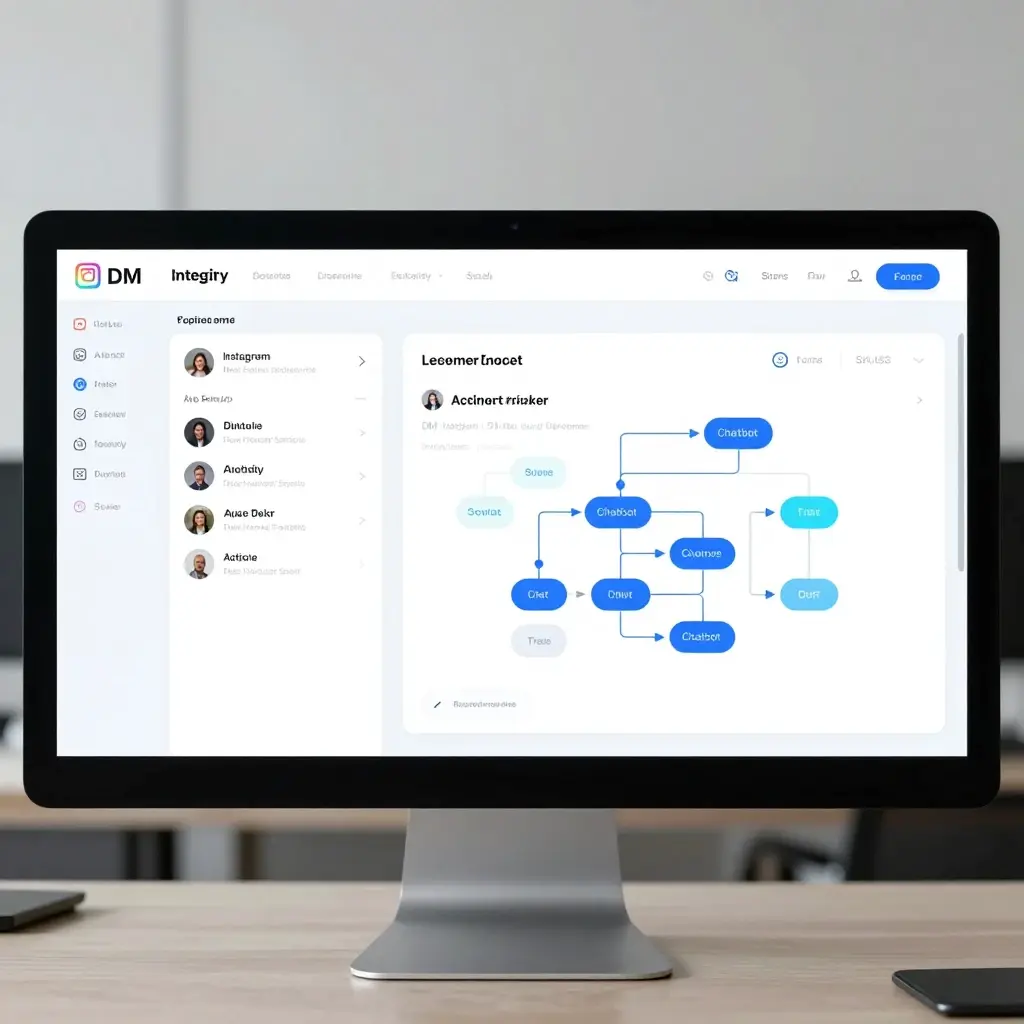
- 🤖 Sign up for an official Instagram-approved automation software platform like ManyChat.
- 🔐 Connect your Instagram professional business account securely to the software dashboard.
- 🏗️ Create a new automation flow triggered specifically by post comment interactions.
- 🔑 Choose a unique, simple keyword for your trigger like “LINK,” “SHOP,” or “INFO.”
- 📝 Write a friendly, automated direct message response that includes your active link.
- 📣 Instruct your audience in your caption to “Comment the word LINK below to get it.”
- 🛑 Avoid using generic phrases as your trigger keyword to prevent false automation starts.
- 🧼 Ensure the automated link uses clean, direct tracking URLs for accurate measuring.
- ⚡ Watch the system send instant messages within seconds of a user leaving a comment.
- 📈 Review your automation analytics dashboard to track open and conversion rates.
- 💬 Reply manually to users if the automated system misses a specific comment format.
- 🛡️ Stay within daily API message limits to keep your account in good standing.
- 🎨 Personalize the message by including the user’s first name dynamically via tags.
- 🧩 Turn off the automation flow once your specific product promotion period ends.
- 🛒 Combine your link delivery with an exclusive discount code inside the direct message.
- 📢 Mention the comment trigger feature clearly in your video reels to boost engagement.
- 🧼 Keep your automated text short, polite, helpful, and focused on the destination.
- 🧪 Run a test comment using a secondary account to verify the automation triggers.
- 📈 Notice how your post engagement metrics soar due to increased comment volume.
- 🔏 Keep user data private and follow all local digital marketing privacy laws.
- 🔄 Update your automation keyword frequently to match your latest marketing campaigns.
Driving Link Clicks Through Instagram Reels Strategy
- 🎥 Create high-energy, engaging vertical video content that stops user scrolling immediately.
- 🗣️ Point with your fingers toward the bottom of the screen during your recording.
- 📝 Add clear on-screen text overlays directing viewers to read the full caption details.
- 🗣️ Give a clear verbal command like “Click the link in my bio to read more.”
- 💬 Tell users to drop a specific keyword in the comments for an instant DM link.
- ⏳ Keep your Reels video under thirty seconds to maintain maximum user attention span.
- 🎵 Use trending audio tracks to push your video into the main algorithm algorithmically.
- 📑 Write a short, engaging caption that acts as a teaser for the link content.
- 📌 Pin your highest-performing link-driving Reels to the very top of your profile grid.
- 🎨 Create a custom cover image for your reel that clearly states the link topic.
- 🛑 Do not put unclickable text links on the actual video screen as it looks cluttered.
- 📈 Monitor your Reel analytics to find the exact moment viewers drop off the video.
- 🤝 Use the collaboration feature to share the reel onto another creator’s feed page.
- 🎁 Promise a free download or value checklist at the destination link to entice users.
- ⚡ Share your newly published reel directly to your main stories feed with a link sticker.
- 🧭 Use high-contrast font colors for your on-screen text directions so they are legible.
- 🧩 Address a specific user pain point early in the video and offer the link solution.
Instagram Shopping and Product Tagging Fundamentals
- 🛒 Set up an official Facebook Commerce Manager catalog containing all your shop products.
- 🔑 Link your business website domain securely to your Meta Business Suite dashboard.
- 🛠️ Wait for Instagram to review and approve your account for shopping features access.
- 📸 Upload your product photo or video lifestyle shoot directly to the post creator.
- 🏷️ Tap the “Tag Products” option during the final checkout screen before publishing.
- 🎯 Click exactly on the physical item within the photo to assign a product tag.
- 🗂️ Search your synced catalog to select the exact matching item name and price.
- 🛍️ Enable the “Shop” tab button directly on your main profile view for easy browsing.
- 🏷️ Tag up to five different products inside a single image post layout seamlessly.
- 🎥 Use product tagging features inside your Reels videos to capture video shoppers.
- 📈 Review your Instagram Commerce insights to track direct storefront product clicks.
- 🧼 Ensure your product titles and pricing data are always accurate and updated.
- 🚚 Link directly to product pages that offer clear shipping and return policy information.
- 🎨 Use high-quality lifestyle photography instead of plain white background catalog photos.
- 🔔 Encourage shoppers to use the built-in “Save Product” feature for later consideration.
- 🎁 Create special product collections for holidays or seasons within your shop dashboard.
- 🛑 Do not tag irrelevant items in your photos just to gain extra catalog eyeballs.
- 💬 Answer product questions in your comments by directing users to the active tags.
- 🛡️ Maintain high customer service ratings on Facebook to keep your shop feature active.
- 📲 Optimize your product checkout funnel for speedy mobile purchases from the app.
- ⚡ Run target shopping ads using your tagged feed posts to scale up your overall sales.
Creating Easy-to-Remember Custom Short URLs
- 🛠️ Use a reputable link shortening service like Bitly, Rebrandly, or TinyURL online.
- 🎨 Customize the URL tail text to include a memorable keyword phrase or brand name.
- 📝 Keep the entire custom link under fifteen characters so it prints out neatly.
- 🧼 Use simple words that are easy for an average user to spell without errors.
- 🛑 Avoid using ambiguous characters like capital I, lowercase l, or the number zero.
- 📢 Capitalize the first letter of separate words in the tail to increase readability.
- 🖨️ Display the shortened link clearly in your caption text using clear spacing rules.
- 📊 Track individual link click metrics using your shortener’s private analytical dashboard.
- 🗺️ Create a matching short URL for every specific campaign or seasonal product launch.
- 🧼 Keep your short links free from confusing symbols, dashes, or punctuation marks.
- 🔒 Ensure your shortening provider offers secure data routing and link redirection safety.
- 🗣️ Test saying the shortened link out loud to ensure it works for voice searchers.
- 📱 Check how the short URL looks when displayed on small mobile screen dimensions.
- 🔄 Set up a permanent redirect rule if your target web page destination ever changes.
- 🛍️ Create a unique short link for your affiliates to track sales results cleanly.
- 📦 Match your custom short domain extension with your business industry niche perfectly.
- 🛑 Do not use spammy-looking link shortener brands that might trigger platform security blocks.
- 💡 Write the short URL in your post graphics or video background frames directly.
- 🧩 Group your custom short URLs into folders based on monthly social media projects.
- 🥇 Use the same root short domain across all your secondary social channels consistently.
- 🧼 Verify that clicking the shortened link opens your website without multiple slow jumps.
Mastering the Link in Bio Call to Action Strategy
- 📣 Place your call to action text line near the beginning of your caption space.
- 🚨 Use high-contrast emojis like red circles or sirens to draw eyes to instructions.
- 📝 Write clear, direct commands like “Click the active link in our profile bio.”
- 🎯 Explain exactly what the user will receive after they click through to the page.
- 🛑 Avoid writing multiple competing calls to action within a single post description.
- 🪟 Match the wording in your caption with the wording on your landing page button.
- ⏳ Create a sense of urgency using phrases like “Link active for the next 24 hours.”
- 🧼 Keep your caption text uncluttered by using line breaks before your final CTA.
- 💬 Pin a short comment repeating your link in bio direction for late scrollers.
- 🎓 Teach your audience over time exactly where your profile link lives on the screen.
- 🚀 Use powerful action verbs like “Download,” “Grab,” “Discover,” or “Secure” in text.
- 🎨 Frame your CTA block with clean markdown elements or brackets for visual separation.
- 🛑 Do not assume your followers know how to navigate back to your profile page manually.
- 📈 Test different CTA phrase variations to discover what makes your audience click most.
- 🎁 Offer an immediate, irresistible reward for clicking, like a free discount code copy.
- 📱 Ensure your profile bio is clean and uncluttered so the link stands out clearly.
- 💡 Update your bio link text to match your current trending post theme perfectly.
- 🏁 Wrap up your storytelling caption with a logical transition to the external link.
Leveraging Broadcast Channels for Clickable Web Sharing
- 📢 Launch an official Instagram Broadcast Channel to connect directly with your top fans.
- 🔔 Send an invitation notification to all your current profile followers automatically.
- 🔗 Drop direct, clickable web links into the chat stream whenever you post updates.
- 📝 Add context text alongside the link explaining the value of the shared web resource.
- 🗳️ Use interactive opinion polls to ask subscribers what links they want to see next.
- 🎤 Record quick voice notes explaining the link content to add a personal, warm touch.
- 🛑 Avoid spamming your channel with too many link drops per day to prevent unsubscribes.
- 📌 Pin your most important website link to the top toolbar of the channel chat window.
- ⚡ Share a direct link to join your broadcast channel in your main daily stories feed.
- 📈 Monitor your channel message view counts to measure real-time audience interest levels.
- 🎁 Offer exclusive channel-only links to reward your most dedicated community members.
- 💬 Enable reaction emojis so subscribers can give feedback on your shared links instantly.
- 🧼 Keep your channel chat organized by sticking to one main topic per link post.
- 👩💻 Assign trusted moderators to help manage channel promotions and answer user inquiries.
- 🚀 Cross-promote your broadcast channel link inside your standard feed post captions.
- 🎨 Use high-quality image previews alongside your links to increase click motivation.
- 🛑 Do not share broken or unverified links inside your broadcast channel environment ever.
- 🧭 Guide users smoothly from your broadcast chat straight to your external checkout pages.
- 📅 Maintain a consistent link-sharing schedule so channel members know when to check in.
- 🔐 Keep channel updates focused, professional, exciting, and highly aligned with your brand niche.
- 🌊 Ride trending waves by dropping highly relevant news links into the channel chat fast.
Optimizing Captions for Desktop Instagram Users
- 💻 Keep in mind that desktop web browsers display unclickable URLs as plain selectable text.
- 🧼 Write out the complete, clean web address string clearly within the caption body area.
- 📝 Instruct desktop users explicitly to “Copy and paste the URL from this caption text.”
- 🛑 Avoid hiding your text links inside long, messy blocks of unspaced hashtag elements.
- 💻 Use a custom subdomain like shop.yourbrand.com that is incredibly easy to memorize and type.
- 🪟 Keep your caption layout clean so users can highlight the link text without copying extra words.
- 📈 Realize that a growing percentage of professional users browse Instagram via desktop screens.
- 🛠️ Verify that your caption links do not get cut off by platform read-more text button breaks.
- 🧼 Format your text URLs with traditional www prefixes so they are recognized as web destinations.
- 💡 Use desktop-friendly language options alongside your mobile directions inside your post layout.
- 🛒 Ensure your online storefront functions perfectly on large desktop widescreen monitors.
- 🎨 Use high-contrast characters so manual typers do not misread the text link spelling.
- 🛑 Do not use complicated tracking codes that add eighty random characters to caption text.
- 📌 Mention that desktop users can access active links directly through your profile main page.
- 💻 Test your caption appearance on multiple web browsers like Chrome, Safari, and Firefox.
- 🧼 Keep the text surrounding the link minimal to prevent accidental multi-line cursor highlights.
- 📊 Separate your mobile traffic data from desktop visits inside your website Google Analytics.
Cross-Promoting Links on Secondary Social Platforms
- 🕊️ Share your Instagram post content over to Twitter with a direct, clickable web link.
- 👤 Post your visual assets on Facebook and paste your target link into the description box.
- 📌 Pin your Instagram graphics onto Pinterest boards and link them to your homepage.
- 💼 Share your career milestones on LinkedIn and drop the active resource URL right below.
- 🎥 Add your target link directly into the description box of your matching YouTube Shorts.
- 🎵 Put your primary landing page link directly inside your public TikTok bio layout area.
- 💌 Send out a dedicated email newsletter featuring your latest Instagram image and post link.
- 🌐 Embed your live Instagram feed directly onto your company website homepage or blog sidebar.
- 📣 Tell your Snapchat subscribers to check out your latest Instagram post link updates.
- 📝 Write a detailed blog post expanding on your Instagram topic and include the link back.
- 💬 Share your promotional links inside relevant Reddit communities while following spam rules.
- 🚀 Drop your active web address link into niche-specific Discord server promotion channels.
- 🛑 Do not post the exact same caption format across all platforms; adapt text for each audience.
- 📊 Use unique tracking tags for each social platform to see where clicks originate.
- 🎨 Keep your visual branding elements synchronized across all external cross-promotion channels.
- 🧭 Guide your audience from other networks straight back to your Instagram link ecosystem.
Avoiding Instagram Spam Filters and Shadowbans on Links
- 🛑 Never paste unverified, insecure, or blacklisted URLs into your profile bio link section.
- 🛡️ Use only well-known, trusted link shortening services to route your social traffic safely.
- 🛑 Avoid changing your external bio link repeatedly within a very short span of minutes.
- 🧼 Keep your caption text clear of repetitive, spammy marketing phrases like “CLICK HERE NOW.”
- 🛑 Do not buy fake link click traffic from automated bot networks to boost metrics artificially.
- 🔏 Ensure your target website complies fully with all standard platform user safety guidelines.
- 🛑 Avoid using mass-automated DM tools that do not utilize official authorized Instagram API setups.
- 🧼 Keep your hashtag counts reasonable to avoid triggering automated content filtering systems.
- 🛡️ Verify your business domain ownership inside the Meta Business Settings panel permanently.
- 🛑 Do not link to websites that redirect users to malicious third-party pop-up screens.
- 💬 Space out your automated comment replies naturally to look like a normal human interaction.
- 🧪 Run your website through security scanners regularly to ensure it is free from malware infections.
- 🛑 Avoid linking to competitive platform marketplaces that violate the terms of service rules directly.
- 📈 Grow your traffic generation patterns organically to build trust with platform algorithms over time.
- 🛑 Do not use hidden redirects that mask the true destination of your profile link box.
- 🧼 Keep your caption text highly relevant to the actual website link content provided.
- 🛡️ Keep your account information updated and enable two-factor security authentication blocks always.
Tracking Link Conversions with UTM Parameters
- 🛠️ Use a free Google UTM analytics builder tool to structure your target destination link.
- 🏷️ Add your source tag as “instagram” to identify exactly where your web traffic started.
- 🧭 Set your medium tag parameter to “bio,” “story,” or “reel” to track feature success.
- 🎯 Label your campaign name clearly to match your current product sale or launch theme.
- 🧼 Keep your tracking terms lowercased consistently to prevent analytics reporting separation errors.
- 🔗 Paste your newly generated long tracking URL directly into your link shortening dashboard software.
- 📊 Open your Google Analytics account daily to monitor visitor behavior from your post link.
- ⏱️ Track how long Instagram users stay on your website pages before closing tabs.
- 🛒 Set up custom conversion goals to see if link clickers actually finish purchases.
- 🧼 Keep your UTM tags organized inside a master tracking spreadsheet for reference later.
- 🧪 Test your newly generated UTM link in a private browser tab to ensure tracking fires.
- 🛑 Do not change your campaign naming structures mid-way through a product launch cycle.
- 📊 Compare story link sticker conversion percentages against bio link click metrics accurately.
- 💡 Use specific UTM content tags if you are running multi-variant influencer link campaigns.
- 🧼 Keep your tracking links clean, functional, accurate, and completely focused on data collection.
- 💸 Calculate your exact return on investment for sponsored posts using clean tracking variables.
- 📈 Notice which specific caption copywriting styles drive the highest real analytical conversions.
Writing High-Converting Copy for Social Link Clicks
- 🧠 Hook your reader’s brain within the first three words of your post description line.
- 🧩 Agitate a specific daily problem that your target website link solves completely for them.
- 🎨 Paint a clear mental image of the benefits waiting for them at the URL.
- 🛑 Avoid writing dry, boring technical descriptions; keep your tone enthusiastic and friendly.
- 💎 Emphasize the exclusivity of the resource using terms like “Limited Access Guide.”
- 💬 Use conversational language that sounds like a helpful friend sharing an excellent tip.
- 🧼 Keep your paragraphs under two lines long to maximize mobile scannability scores.
- 🏹 Use active verbs that command immediate physical movement toward your profile page area.
- 🎁 Sweeten the click destination by promising instant gratification upon loading the external page.
- 🛑 Do not over-promise in your caption copy; match expectations perfectly with real landing pages.
- 📊 Include convincing social proof numbers like “Joined by over 10,000 active members today.”
- 🧼 Keep your copy free from confusing industry buzzwords that alienate everyday app scrollers.
- 🎭 Align your copywriting energy directly with the visual mood of your attached photograph.
- ⏱️ Create authentic scarcity by mentioning exact closing dates for your external web links.
- 💡 Answer the user’s immediate question: “What is in this specific destination link for me?”
- 🧼 Separate your body storytelling text cleanly from your final link action call block.
- 🧪 Run simple A/B tests on your caption length to see what drives more clicks.
- 📣 Tell your followers exactly what steps to take once they land on your homepage.
- 🛑 Avoid sound generic; infuse your unique brand personality into every single link pitch line.
- 🌟 End your caption on a high-value note that leaves users eager to click through.
- 🧼 Proofread your copy twice to ensure your instructions are perfectly easy to comprehend.
Best Landing Page Templates for Mobile Social Traffic
- 📱 Use a responsive layout design that loads instantly on all mobile phone devices.
- 🧼 Keep the background styling simple and clean using light or neutral color schemes.
- 🔝 Place your primary call to action button above the mobile screen fold line.
- 🚀 Optimize your page image sizes to guarantee under two-second total loading times.
- 🛑 Avoid using annoying full-screen email pop-up forms that block mobile navigation routes.
- 🎨 Select big, easy-to-tap button block sizes that accommodate large thumbs effortlessly.
- 🧼 Use clean, bold sans-serif fonts to ensure perfect text readability in bright sunlight.
- 🔗 Limit the total number of outbound link choices to prevent decision paralysis patterns.
- 🖼️ Include your brand logo at the very top of the layout for trust.
- 🛠️ Test your landing page setup using real mobile devices, not just desktop simulators.
- 📊 Install tracking pixels directly into your header code to collect visitor data safely.
- 🧼 Keep your button copy short and highly descriptive like “Get Free Ebook.”
- 🛑 Do not use flash elements or heavy video backgrounds that crash mobile browser apps.
- 🔒 Display clear trust badges or SSL security locks to reassure external shop consumers.
- 🗺️ Match your landing page aesthetics perfectly with your verified Instagram grid look.
- 💬 Include a quick contact button or chat widget for immediate customer service access.
- 📉 Review heatmaps of your mobile page to see where users scroll and stop tapping.
- 🧼 Organize your secondary links neatly into grouped visual categories or minor dropdown menus.
- 🎁 Ensure your promised free lead magnet downloads function smoothly with one tap.
- 🛑 Avoid long paragraphs of introductory text; get straight to the point of the page.
- ⚡ Update your landing page template regularly to maintain modern mobile coding standards.
Advanced Affiliate Marketing Link Tips for Instagram
- 📣 Disclose your commercial affiliate relationships clearly inside your caption text using legal tags.
- 🧼 Use dedicated, clean custom tracking domains instead of messy raw affiliate redirect links.
- 🎁 Share high-value personal review content before asking users to click your product link.
- 🏷️ Group your top recommended affiliate items into a neat shop page layout system.
- 🛑 Do not promote low-quality products that might damage your hard-earned community trust levels.
- 📸 Create real, unedited lifestyle photos of yourself using the actual affiliate items promoted.
- 💸 Offer your custom exclusive creator discount codes alongside your bio link directions clearly.
- 📈 Monitor your affiliate dashboard daily to see which specific items are trending upwards.
- 🎥 Use the power of video reels to demonstrate product solutions before pitching links.
- 🛑 Avoid spamming affiliate links on every single post; focus heavily on pure value content.
- 🧠 Understand your audience’s buying pain points thoroughly before selecting affiliate partners online.
- 🧼 Keep your promotional text professional, transparent, authentic, and highly focused on benefits.
- 📌 Save your best affiliate product video reviews into permanent, categorized profile highlights.
- 💬 Answer product sizing or usage questions in the comments by referencing your link details.
- 🤝 Negotiate higher commission rates with brands once you prove consistent link click traffic volume.
- 🛑 Do not copy other creators’ exact affiliate pitches; keep your voice unique and genuine.
- 📊 Track your seasonal conversion fluctuations to optimize your monthly affiliate link calendars.
- 💡 Share honest pros and cons of the items to build unbreakable audience trust levels.
- 🧼 Ensure your partner’s landing page checkout path operates seamlessly for incoming mobile shoppers.
- 🚀 Treat your affiliate promotions like an authorized boutique store recommendation experience always.
- 🏆 Focus on long-term relationship building with your community rather than quick single-link sales.
FAQs
Q1. Why can’t I click a link in an Instagram caption?
A: Instagram does not allow clickable links in post captions. Use your bio link or Story Link Sticker instead.
Q2. What does “Link in Bio” mean?
A: It tells followers to visit the clickable link in your Instagram profile bio.
Q3. How can I send links automatically to followers?
A: Use tools like ManyChat to automatically send links through DMs when users comment on your post.
Q4. Can everyone use Instagram Story Link Stickers?
A: Yes. The Link Sticker is available to all Instagram accounts.
Q5. Does adding a URL in a caption hurt reach?
A: No. It does not affect reach, but users cannot click it, which may reduce engagement.
Q6. How can I track Instagram link clicks?
A: Use UTM tracking codes and monitor clicks in Google Analytics.
Conclusion:
Cracking the code on how to share links through your Instagram posts is a complete game-changer for your digital marketing success.
While the platform’s native restrictions on clickable caption text can feel incredibly frustrating at first glance, the strategic workarounds available today are actually highly efficient at turning passive viewers into active website visitors.
By consistently routing your community through your profile bio link, utilizing high-engagement story stickers, and implementing modern comment automation funnels, you can build a seamless bridge between your social content and your external web platforms.
Stop letting valuable profile traffic slip away into dead-end posts that lead nowhere.
Take charge of your social growth today by auditing your current profile link strategy, picking the best method that fits your workflow, and cleaning up your caption calls to action.
Choose your next target destination link right now, update your bio settings, and give your followers an irresistible reason to click through on your very next upload!

Benjamin Harris is a passionate digital content creator and caption specialist who helps people express their emotions through powerful and engaging words. With a strong focus on social media trends, Benjamin crafts unique and relatable caption ideas for platforms like Instagram, TikTok, and Facebook.